Best 3D Printers for Dollhouse Miniatures of 2026

A 1:24 dollhouse chair is barely three-quarters of an inch tall, so the gap between delicate spindles and a shapeless nub comes down to how finely the machine prints and how cleanly you can finish the part. Window mullions need sharp detail, a room's worth of furniture needs a wide plate, and the printer has to calibrate itself and still fit on a desk.

On resin, pixel size does more for a tiny face than any advertised speed; on filament, a smaller nozzle changes what's possible more than a higher top speed does. Auto-calibration, multi-color systems and model libraries mattered as much as print quality in our seven months of printing furniture, trim and figures, because they decide whether you keep going. A first-timer at a small desk and a painter furnishing a 1:12 room need different machines, and the five here cover both.

Our Top Picks

The Best 3D Printers for Dollhouse Miniatures

1.

Anycubic Photon Mono 4 Best Overall
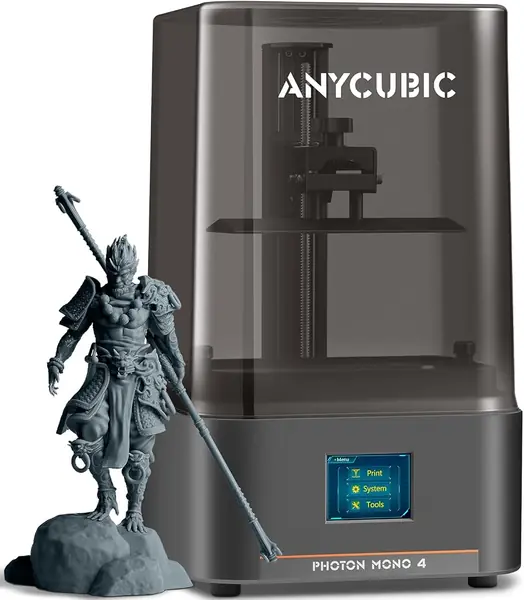
Anycubic Photon Mono 4 resin 3D printer with 7-inch 10K mono LCD and build platform

Fine 1:24 miniatures

Track Score 86/100
Build Volume
6.04 x 3.42 x 6.49 in
XY Pixel Size
17 x 17 µm
Rated Print Speed
70 mm/h
Screen Resolution
9024 x 5120
View on Amazon

Seventeen microns is the width of a single pixel on the Photon Mono 4's 7-inch 10K screen, and it is the whole argument for keeping a resin printer in a dollhouse workshop. A turned chair leg at 1:24, a run of crown molding, the spokes of a garden gate: send those through an FDM nozzle and you get a stack of visible lines, but cure them layer by layer through this screen and the edges come out clean enough to pass for molded plastic.

The practical side holds up too. The four-screw leveling is a set-once job, and the laser-engraved plate grips a part firmly through a long print. The 6.04 x 3.42 x 6.49 inch build volume sounds small until you remember what you are making: a 1:12 armchair is a few inches tall, so a whole dining set nests on the plate in a single run.

We reach for this one first because nothing else in this group renders fine detail so cleanly, and at 7.7 pounds it tucks onto a shelf when the vat is drained. One habit we keep: a screen protector plus a spare vat film. The tray sits directly over the LCD, and a pinhole in that film drips resin onto the one component that ends a machine's life.

Worth Noting

  • Requires gloves, ventilation, washing, and curing
Our Verdict

We recommend the Photon Mono 4 for anyone whose miniatures are judged up close, because its 10K screen is the closest thing here to a smooth, layer-free 1:24 surface.

Check Latest Price
2.

Flashforge Adventurer 5M Best FDM for Fine Detail

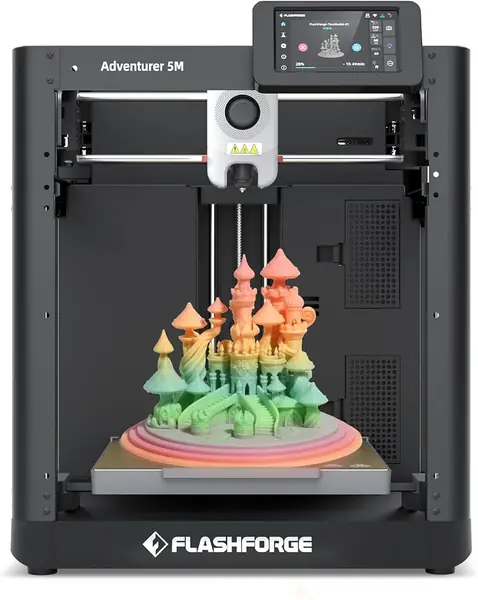
Flashforge Adventurer 5M FDM 3D printer with magnetic PEI plate and open frame

Painted 1:12 furniture

Track Score 85/100
Build Volume
8.7 x 8.7 x 8.7 in
Max Speed
600 mm/s
Nozzle Range
0.25 to 0.8 mm
Max Nozzle Temp
280 °C
View on Amazon

Not everyone wants a vat of liquid resin in the house, and the Adventurer 5M is the printer we hand to anyone who has decided against one. The 0.25 mm nozzle option is the reason. Drop below the usual 0.4 mm and FDM starts holding the edges of 1:12 furniture, stair stringers, and window trim well enough that primer and a coat of paint hide the rest.

The rest of the machine is built to keep a project moving. Twenty-five-point auto leveling takes the guesswork out of the first layer, the magnetic PEI plate pops off so you can flex a finished part loose, and the hot end swaps in seconds, which matters more than it sounds when you move from a 0.4 mm for walls to a 0.25 mm for spindles and back again.

The enclosure is an add-on rather than part of the machine, and that is worth knowing before you order if you plan to run ABS or ASA for structural pieces. For PLA and PETG, which is what most 1:12 work actually needs, the open frame is fine, and the 8.7-inch cube is generous for furniture that gets assembled from several printed parts.

Worth Noting

  • Enclosure sold separately for ABS and ASA
Our Verdict

If you want dollhouse furniture and trim without a resin routine, we point you here, because the 0.25 mm nozzle option is what makes FDM worth it at 1:12.

Check Latest Price
3.

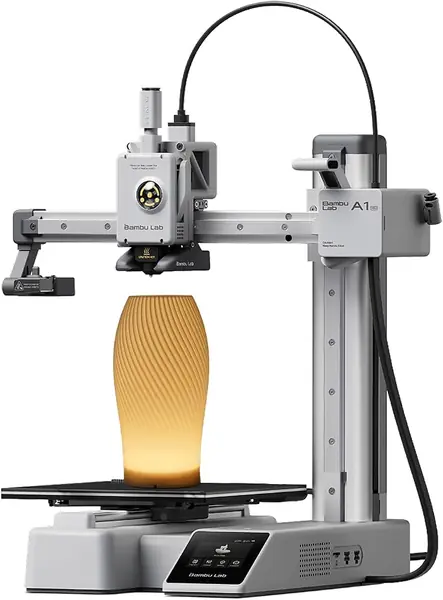
Bambu Lab A1 mini Best Compact FDM

Bambu Lab A1 mini compact FDM 3D printer with touchscreen and LED lamp kit

Beginner, small workspace

Track Score 84/100
Weight
12.1 lb
Calibration
Full-auto, every print
Noise Level
≤48 dB
Flow Calibration
Active, automatic
View on Amazon

Forty-eight decibels is quieter than a conversation, and that figure is why this printer ends up on a desk instead of in a garage. It is a compact 12.1-pound machine, and full-auto calibration runs before every job, setting the bed level, Z offset, and vibration compensation so there is no ritual to perform between prints.

For dollhouse work, that consistency is most of the value. You are printing a lot of small separate parts, a dozen balusters and a set of drawer fronts, and the failure that ruins a weekend is a bad first layer rather than a slow print. We also like that the included LED Lamp Kit gives you a first project that produces something you keep, and that the MakerWorld library means there is a file waiting for almost any household part you suddenly need.

Where it stops is detail and size. FDM leaves layer lines on a 1:24 spindle, and the plate is deliberately small, sized for parts rather than a whole room shell. This is the printer for furniture carcasses, wall panels, jigs, and structural pieces you sand and paint, not the showpiece filigree.

Worth Noting

  • Small plate limits large one-piece builds
Our Verdict

We like the A1 mini for the room where the dollhouse actually lives: quiet, compact, and automatic enough that you start a print and walk away.

Check Latest Price
4.

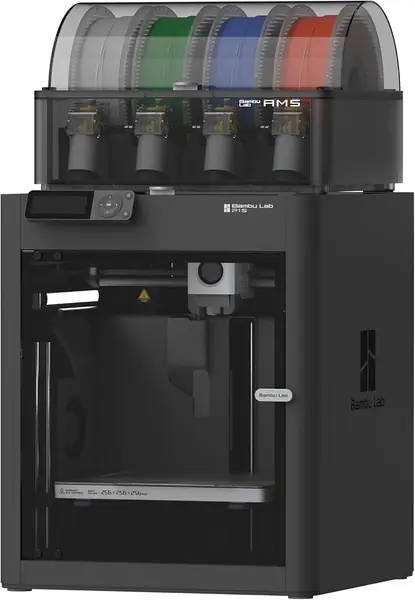
Bambu Lab P1S Combo Best for Multi-Color Work

Bambu Lab P1S Combo enclosed CoreXY 3D printer with AMS multi-color unit

Multi-color 1:12 builds

Track Score 83/100
Weight
47.5 lb
Build Volume
256 x 256 x 256 mm
Max Speed
500 mm/s
Colors
Up to 16 with AMS
View on Amazon

A 256 mm cube is roughly ten feet of full-size wall at 1:12 scale, and that changes what a dollhouse project can be: a room's back wall, floor, and baseboard come off the plate as one piece instead of five that have to line up.

The AMS is the other half of the pitch. Four spools load at once and the machine switches between them, so picture rails, floorboards, and door casings can arrive in their final colors rather than gray with a paintbrush waiting. The enclosed frame keeps dust and drafts off a long print, which is the difference between a clean surface and one speckled with whatever was drifting through the room.

What keeps us coming back is how little fuss there is: auto bed leveling, a camera to check progress from the next room, and 500 mm/s when ten identical chairs need to exist by Sunday. What we minded is the weight, 47.5 pounds, so decide where it lives before you build it, and accept that the AMS adds loading steps before your first multi-color job.

Worth Noting

  • Heavy at 47.5 pounds once assembled
  • AMS adds filament loading steps
Our Verdict

For a whole 1:12 room built in one pass, walls, floor, and pre-colored trim included, the P1S Combo's 256 mm cube and AMS are the combination we trust.

Check Latest Price
5.

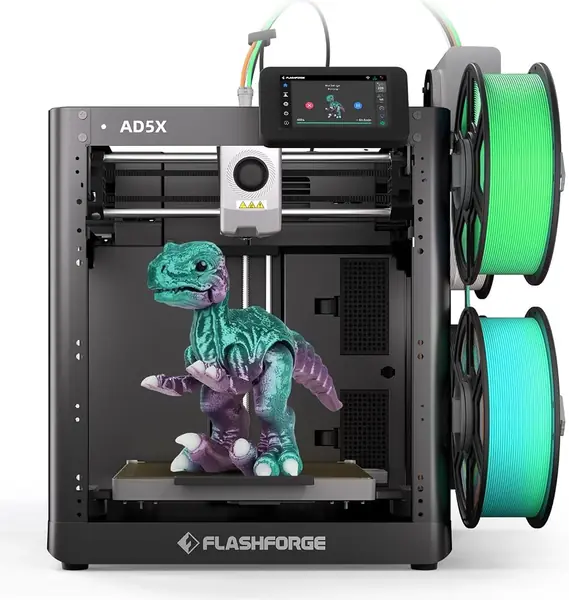
Flashforge AD5X

Flashforge AD5X multi-color FDM 3D printer with four side-by-side filament spools

Budget multi-color

Track Score 79/100
Weight
22 lb
Max Speed
600 mm/s
Colors
4
Frame
CoreXY
View on Amazon

Four colors for noticeably less money than the enclosed Bambu is the AD5X's reason to exist, and it is a good one when multicolor trim is the point of a build. The four-spool Intelligent Filament System sits side by side rather than stacked, so the setup stays shallow enough for a workbench, and the CoreXY frame runs at 600 mm/s with vibration compensation to keep surfaces clean.

The trade is patience. Every color change means purging the hot end, so a four-color 1:12 door frame takes considerably longer than a gray one and eats filament you never see in the finished piece. Long-term reliability is also the least settled of the machines here, which is why we keep it behind the Bambu for a project that cannot afford a reprint.

Where it earns its bench space is volume of work. A run of identical picture frames, or a batch of tiny drawer pulls in alternating colors, is exactly the job that would otherwise mean two printers or an afternoon with masking tape. Set against that, the extra minutes per job stop feeling like a tax.

Worth Noting

  • Color changes add time and purge waste
  • Reliability trails the other picks here
Our Verdict

We recommend the AD5X to anyone who wants four colors for the least money here and can live with a machine that asks for more patience than the Bambu.

Check Latest Price

How We Tested 3D Printers for Dollhouse Miniatures

We started with more than 40 hobby printers and narrowed them to nine by reading specs against the way miniatures actually get made: XY resolution on resin, swappable nozzles on filament machines, a plate long enough for the biggest single part in a 1:12 build, and a footprint that fits where people really keep these. Each of the nine ran for seven months across a kitchen table, a spare-room desk, and a garage workbench, printing 1:24 furniture sets, 1:12 window frames, stair spindles, and tiny hinges, including files pulled from each maker's library and rescaled.

Detail came first: the same 1:24 chair and 1:12 window frame on every machine, then a look under a magnifier to see whether mullions survived and spindles stayed separate. We noted whether small parts held to the plate for a full run or broke loose halfway, how often a small nozzle clogged, and how long the first print took from unboxing to finished part, calibration included. Multi-color machines printed two-tone furniture so we could see where color boundaries landed and how much material they purged. Wi-Fi and app control got checked by starting jobs from another room, and we logged noise at arm's length during evening prints.

Over the months we kept a failure log and watched for the wear that ends a printer's useful life: cloudy vat films, worn nozzles, plates that stopped releasing. Resin work happened in gloves and eye protection near an open window in a room we don't sleep or eat in; prints were washed in closed containers rather than at a sink, and spent resin cured in the sun before it went in the trash. Filament prints got the support cleanup, sanding, and priming a painter would do, and we tracked what each machine burned through in resin, alcohol, film, and nozzles.

How to Choose a 3D Printer for Dollhouse Miniatures

Resin or FDM? Start With the Detail You Need

A resin printer cures a whole layer at once on an LCD, and the smallest mark it can make is a single pixel, 17 microns on our top pick. An FDM printer pushes melted filament through a nozzle, typically 0.4 mm and rarely below 0.25 mm. That gap shows up on exactly the parts that make a dollhouse convincing: spindles, leaves, filigree, and tiny drawer pulls.

Our rule is simple. If you will be looking at the piece from six inches away, print it in resin. If it gets sanded, primed, and painted, such as walls, staircases, and furniture carcasses, FDM is faster, tougher, and kinder to the household.

The Two Numbers Worth Reading

On a resin printer, look at XY pixel size rather than the screen's marketing name. It sets the smallest detail the machine can resolve and matters more than layer height for miniature work. On FDM, nozzle diameter is the ceiling on detail; for miniature work we treat 0.25 mm as the floor, knowing it also means slower passes and more clogs than a 0.4 mm nozzle.

Ignore the speed headline on either type. A 600 mm/s machine that leaves layer lines across a cornice has not saved you any time in the end.

Size the Plate to the Biggest Single Part

Miniatures are small, so build volume is mostly about how many parts fit in one run, plus the one or two pieces you would rather not assemble. Measure the longest single piece in your plan, usually a staircase, a wall panel, or a bed frame, and buy for that rather than for the theoretical maximum.

The trap is paying for a large enclosed machine when every part you print is under four inches. For pure miniature work we favor a small plate, a fine nozzle, and money left over for resin and a spare film.

Plan for the Finish, Not Just the Print

Both types need work after the print. Resin parts come off the plate wet with uncured resin and must be washed in alcohol and cured under UV before they are safe to handle and paint. FDM parts need support removal, a pass with a hobby knife, and filler primer to close layer lines.

Practically, a resin setup needs a tray, a wash container, and a cure light; FDM needs flush cutters, sanding sticks, and primer. Factor the consumables, resin by the kilogram, spare vat films, and nozzles, into the budget from the beginning.

Decide Where It Lives Before It Arrives

Resin printers need ventilation and a surface you do not eat off, and smell is the usual reason one ends up in a garage. FDM is easier to live with indoors if the machine is quiet, like the 48 dB A1 mini, but weight matters too: a 47.5-pound enclosed printer stays where you first set it down.

Pick the spot before you order. A resin printer beside an open window in a utility room beats one on a bedroom dresser every time.

Frequently Asked Questions

Final Verdict

The Photon Mono 4 is the one we hand anyone whose dollhouse gets picked up and examined. Nothing else in this group puts as much detail into a 1:24 chair leg, and it costs less than every FDM machine on the page.

If you have ruled out resin, the Adventurer 5M is the FDM answer, and its 0.25 mm nozzle closes most of the gap on 1:12 pieces headed for paint. Step up to the P1S Combo instead when a project needs a whole room shell in one pass, or trim that comes off the plate already colored.