Best 3D Printers for Miniatures of 2026

On an inch-tall 28mm figure, the difference between a face you can paint and a gray blob comes down to things no product photo shows: pixel size, how evenly each layer cures, and whether the plate holds a thin sword steady for the whole print. The resolution badge matters less than the pixel size behind it.

A resin printer's real cost also includes gloves, ventilation and a wash-and-cure routine. Filament can't match resin's detail, but for terrain it is cheaper and less fuss. We ran 11 machines of both kinds the way a painter would, with squads printing overnight and a centerpiece split into parts, and tracked the noise in a spare bedroom, the desk space and how readily each plate gave up a finished miniature.

Our Top Picks

The Best 3D Printers for Miniatures

1.

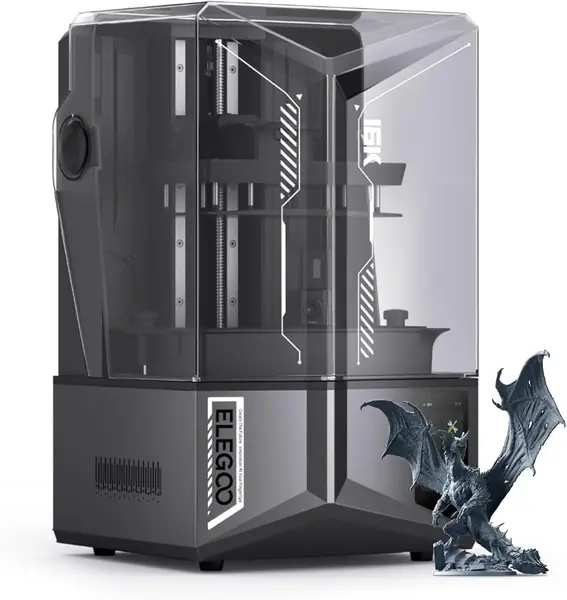
ELEGOO Mars 5 Ultra Best Overall
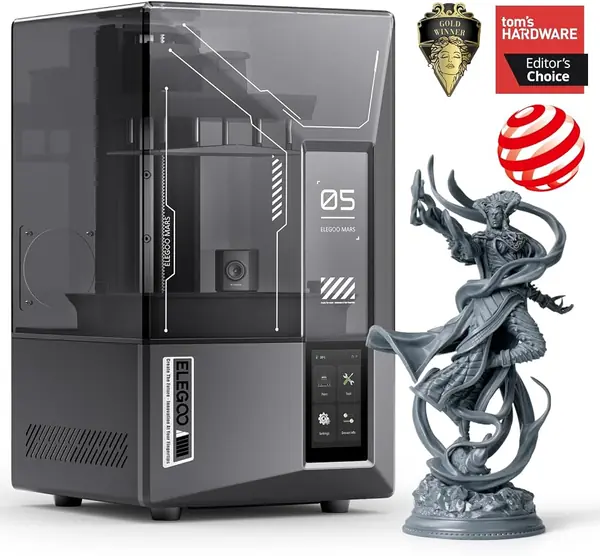
ELEGOO Mars 5 Ultra resin 3D printer with 7-inch 9K mono LCD

Most tabletop painters

Track Score 88/100
LCD Screen
7-inch 9K mono
Build Volume
6.04 × 3.06 × 6.49 in
XY Resolution
18 µm
Auto-leveling
Yes
View on Amazon

The 18-micron pixel size is the number we look at first for miniatures, and on the Mars 5 Ultra it is the reason faces and cloak folds come out clean rather than soft. The 7-inch 9K screen gives you that detail without the desk-eating footprint of a large-format machine, so it fits beside a paint rack and still holds a squad of 28mm figures. For most tabletop painters, that balance is why it comes first.

Auto-leveling is the feature we appreciated most during setup. You tighten the plate, let the machine do the rest, and spend your time on supports and exposure instead of paper shims. We also like the residue sensor and AI camera: they will not slice for you, but they give you a warning before a failed print turns into a cured mess on the screen. The tilt-release vat and 150 mm/h top speed make a second batch less of a chore.

The 6.04 × 3.06 × 6.49-inch build area is honest about what this machine is for: warbands, busts, and single large figures, not a whole tournament army in one go. Reliability is the other thing we watch; its record is mixed enough that buying from a seller with a clear return window is smart. That caveat does not change the core appeal: fine detail, automatic leveling, and a small footprint at a midrange price.

Worth Noting

  • Slicer and Wi-Fi setup can be fiddly
Our Verdict

For most tabletop painters, we recommend this 9K resin printer because auto-leveling and 18-micron detail make clean miniatures easier to repeat.

Check Latest Price
2.

ELEGOO Saturn 4 Ultra 16K Best Large-Format Resin

ELEGOO Saturn 4 Ultra 16K resin 3D printer with 10-inch mono LCD

Large army batches

Track Score 87/100
LCD Screen
10-inch 16K mono
Build Volume
8.33 × 4.66 × 8.66 in
Auto-leveling
Yes
Resin Heating
30 °C
View on Amazon

A 10-inch 16K plate is not subtle; it is a statement that you plan to print a lot of figures at once. We loaded a mixed plate of infantry and a larger character to see whether the size came at the cost of detail. The 16K screen kept armor edges and small facial features crisp across the plate, which is exactly what a batch painter wants.

The feature we did not expect to care about as much is the heated vat. It holds resin at 30 °C, so a winter print run does not depend on a space heater or a lucky room temperature. Auto-leveling and the tilt-release vat then take most of the fiddling out of the next plate. That combination is why this is the large-format resin printer we trust for batch work.

The 8.33 × 4.66 × 8.66-inch build area is big enough for a whole squad, a large monster, or several character busts with supports. The AI camera is useful for spotting a failed plate before it wastes an evening, and the machine runs quieter than its size suggests.

For a painter who prints armies rather than one-off figures, the time saved on leveling and resin warming is the real luxury. The 16K screen and heated vat are not cheap, but they earn their premium when a single plate carries a whole unit.

Worth Noting

  • Large footprint and 35.5 lb weight
  • Motor or screen faults can appear early
Our Verdict

Built for painters who batch-print armies: the 16K screen and heated vat keep large plates of figures consistent.

Check Latest Price
3.

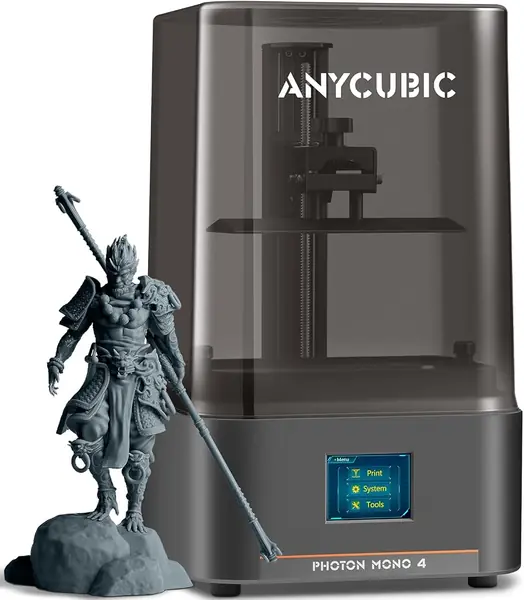
ANYCUBIC Photon Mono 4 Best Budget

ANYCUBIC Photon Mono 4 resin 3D printer with 7-inch 10K mono screen

Budget first printer

Track Score 86/100
LCD Screen
7-inch 10K mono
Build Volume
6.04 × 3.42 × 6.49 in
XY Resolution
17 × 17 µm
Max Speed
70 mm/h
View on Amazon

At the budget end of this group, the 10K screen is the headline, and the 17-micron pixels are fine enough that eyes and weapon edges do not turn to mush on a 28mm figure. That is a serious amount of detail for the money. We noticed the difference most on thin parts like swords and cloak edges, where a coarser screen tends to round off the shape.

The laser-engraved plate holds small bases firmly. In our use the bigger risk was removal, not adhesion: a flex plate or a careful bottom-exposure setting makes it easier to pop a finished squad free without chipping a base. The 6.04 × 3.42 × 6.49-inch volume is enough for a small squad or a few larger figures, and the 70 mm/h top speed is fine for detail work rather than batch production.

That value is why it earns the budget slot in this guide. The core job, turning resin into crisp little faces, is here, and the machine can resume a job after a power interruption. We also like that the 10K panel does not require a huge desk.

The durability picture is the caveat we cannot ignore. Resin printers are consumable-heavy by nature, but this one has more early failures in its history than the top pick. Buy it as a first resin printer or a second machine for small projects, and keep the return window in mind. The detail-per-dollar argument is strong enough that we still recommend it.

Worth Noting

  • Manual four-point leveling adds setup work
Our Verdict

A sensible buy for budget-conscious hobbyists who want 10K detail and can handle manual leveling and a little plate cleanup.

Check Latest Price
4.

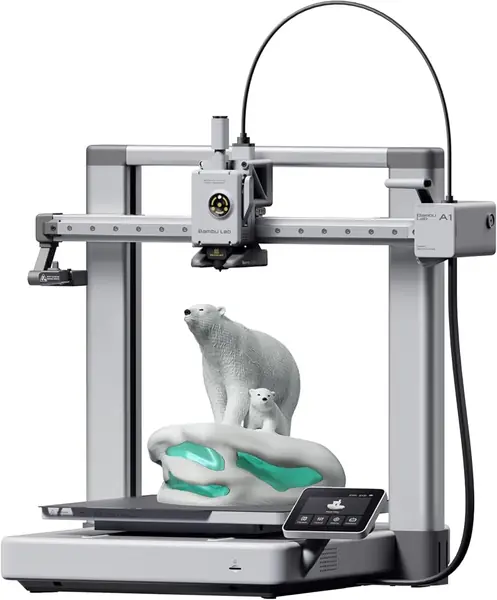
Bambu Lab A1 Best FDM for Terrain

Bambu Lab A1 FDM 3D printer with a touchscreen and open-frame design

Terrain and props

Track Score 85/100
Weight
22 lb
Calibration
Fully automatic
Noise Level
≤48 dB
Printer Dimensions
21.76 × 20.83 × 12.87 in
View on Amazon

FDM is not the tool we reach for when a figure's face has to survive close inspection. The A1 lays down plastic in visible layers, so eyes, teeth, and thin sword blades read softer than they do on a resin print. Where it makes sense is the rest of the table: ruined walls, crates, barrels, tree stumps, and chunky monsters that benefit from tough PLA and do not need a mirror finish.

That is why the A1 is our terrain pick rather than a miniature printer. Automatic calibration takes the guesswork out of bed leveling, and the machine moves fast enough that a box of scatter terrain does not eat a weekend. The touchscreen workflow is simple enough that we did not need to babysit every first layer, and the optional AMS lite opens up multi-color terrain if you want stone walls with mossy tops.

The 22-pound frame feels substantial, and the 48 dB noise rating is low enough for a home office. We like having it beside a resin printer: the resin handles faces, and the A1 handles the big durable pieces that would be expensive or brittle in resin. If your table needs buildings more than heroes, this is the pick.

Worth Noting

  • Open frame is draft-sensitive
Our Verdict

We recommend the A1 for terrain and durable props rather than fine figures; its automatic setup makes FDM practical.

Check Latest Price
5.

Bambu Lab A1 mini Best Compact FDM

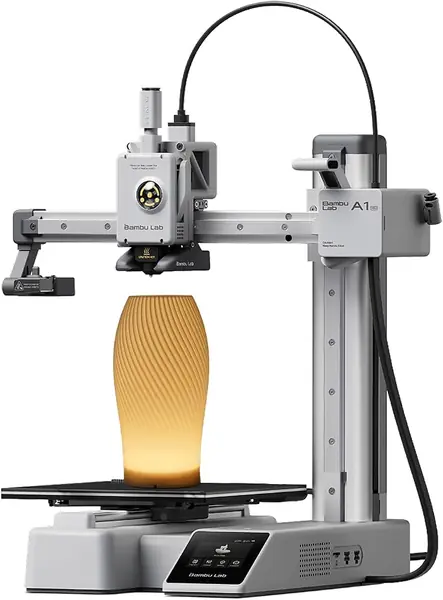
Bambu Lab A1 mini FDM 3D printer with LED Lamp Kit and compact frame

Small desk printing

Track Score 84/100
Weight
12.1 lb
Calibration
Fully automatic
Noise Level
≤48 dB
Printer Dimensions
15.21 × 16.77 × 17.94 in
View on Amazon

The A1 mini earns its name on a crowded desk. We set it beside a monitor and a paint rack, and its 15.21 × 16.77 × 17.94-inch frame still left room to work. For a beginner who wants to print scenery without the gloves and ventilation of resin, that small footprint is the whole argument.

Automatic calibration is the other reason it suits a first-timer. The machine handles bed leveling and flow compensation, so you are not hunched over a feeler gauge before your first print. The touchscreen is straightforward, and the 48 dB noise rating is quiet enough that a late print does not take over the room. We also appreciate that the included LED Lamp Kit gives you a concrete first project rather than a test cube.

The build area is genuinely mini. Large buildings and big monsters need to be split into modules, which is normal for FDM terrain but worth knowing before you buy. Treat it as a terrain sidekick to a resin printer, not a replacement for one, and the low cost and small footprint make much more sense.

Worth Noting

  • FDM detail trails resin on figures
Our Verdict

Sized for small desks and beginners who want an affordable, quiet FDM printer for terrain and chunky miniatures.

Check Latest Price
6.

Phrozen Sonic Mini 8K S

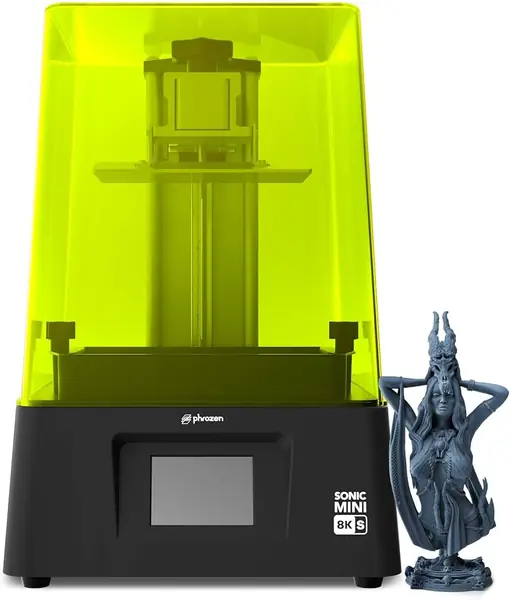
Phrozen Sonic Mini 8K S resin 3D printer with 7.1-inch mono LCD

Compact 8K detail

Track Score 81/100
LCD Screen
7.1-inch 8K mono
Build Volume
6.5 × 2.8 × 6.7 in
XY Resolution
22 µm
Slicer Support
Lychee, Chitubox, Tango
View on Amazon

The Sonic Mini 8K S asks for nearly the same bench space as our top pick, but it comes at the job from a different angle: a 7.1-inch 8K screen, a 22-micron pixel, and a narrow 6.5 × 2.8 × 6.7-inch build. That makes it a compact detail machine for small figures and busts rather than a batch printer for a whole army.

We appreciate the open slicer support. If you already work in Lychee, Chitubox, or Tango, you can keep your existing workflow instead of learning a new one. The 22-micron resolution is fine enough for eyes and small symbols, and the compact body is easy to tuck into a shelf. Phrozen's Z-axis calibration is designed to keep layers even, and the monochrome LCD should be familiar to anyone who has run a resin printer before.

The catch is volume. A 6.5-inch-wide plate fills quickly with supports, so this is not the machine for a large batch. It is also priced near printers with more automation and a larger screen, which is why it is a specialist pick rather than a leading one. If you want a small 8K printer and you already have a slicer workflow you trust, it is a pleasant specialist. If you want the better all-around value here, the Mars 5 Ultra is the easier call.

Our Verdict

We recommend this compact 8K resin printer to hobbyists who want open slicer choices and a small footprint, not maximum build volume.

Check Latest Price

How We Tested the Best 3D Printers for Miniatures

We built the shortlist from the specs that actually decide miniature quality: pixel size on the LCD rather than the resolution badge, XY resolution, build volume big enough for a squad or a split centerpiece, and how much leveling and calibration the machine handles itself. We filtered by price so a first printer had a fair shot, checked slicer support and connectivity, and kept filament machines in the mix for terrain and props. That left 11 printers, which we ran for seven months.

Every machine lived on a real desk, and printed the work a painter actually brings it: blocks of 28mm infantry run overnight, one large centerpiece split into parts, thin swords and spear shafts, bases by the dozen. We timed setup from unboxing to first slice and noted where automatic leveling saved a step and where it didn't. We measured footprint on the desk and noise with a meter while a plate ran behind a closed door, and logged every failed print, since a machine that fails one plate in five is worse than a slower one that always finishes.

Build plate adhesion got its own attention: did a thin part stay put through a long print, and did it pop off cleanly without chipping a base or tearing a support? We watched how the hardware held up over months of near-daily use — plates, resin tanks, the parts handled every session — and tracked running costs beyond the sticker: resin, IPA, gloves, filters, and the wash-and-cure gear no listing mentions. Every uncured print was handled with nitrile gloves and eye protection in a ventilated room, then washed and cured, with waste disposed of through local hazardous-waste rules — nothing down a drain.

How to Choose a 3D Printer for Miniatures

Look at pixel size before the resolution badge

A 9K or 16K badge tells you only part of the story. What matters for a miniature is the XY resolution, the size of one pixel on the build plate, because that is what determines whether an eye socket or a sword edge survives the print. We prioritize a pixel around 17 to 22 microns for 28mm figures; a 28-micron machine can still make good larger models, but faces get softer. The ELEGOO Mars 5 Ultra's 18-micron pixel and the ANYCUBIC Photon Mono 4's 17-micron pixel are the benchmark here. Match the number to the smallest detail you actually paint.

Size the plate to your painting habit

Build volume is a workflow decision, not a leaderboard. A compact 7-inch plate holds a warband, a few characters, or a single bust, and it fits on a shelf beside your paint station. A 10-inch plate lets you pack a whole squad or several large figures in one run, but it takes a dedicated bench and a bigger vat to clean. We suggest starting with the largest single piece you print, then adding support space; if that piece is a whole army, the Saturn 4 Ultra 16K is the large-format answer, while the Mars 5 Ultra covers most painters.

Choose how much automation you want to pay for

Auto-leveling, a heated vat, a camera, and Wi-Fi are not gimmicks once you print regularly. They remove the small failures that waste resin and an evening, and they make a second batch less intimidating. The trade-off is price and sometimes a more complex menu. We think auto-leveling is worth prioritizing for a first resin printer; a manual four-point plate is manageable, but it is one more setup step you repeat after every tank change. A heated vat matters most if your workroom runs cold.

Plan the resin workflow before the printer arrives

A resin printer is only half the purchase. You need nitrile gloves, a ventilated spot, a wash-and-cure routine, and a way to keep uncured resin away from kids and pets. We do not recommend putting one in a bedroom or a shared living space without an enclosure and exhaust. An MSLA printer also needs a stable, level surface and a tray you can dedicate to drips. Budget the space and the consumables before you compare screen sizes.

Know when FDM is the better tool

FDM cannot match resin for faces, but it is the better choice for ruined walls, barrels, tree stumps, and chunky monsters. Layer lines are part of the deal; the payoff is durable PLA parts, no resin cleanup, and a workflow that is easier to live with in a small apartment. The Bambu Lab A1 and A1 mini both calibrate themselves and run quietly, which is why we keep one for terrain rather than heroes. If your table needs buildings more than faces, spend the resin budget on a bigger FDM plate instead.

Frequently Asked Questions

Final Verdict

We recommend the ELEGOO Mars 5 Ultra as the default miniature printer because its 18-micron detail and auto-leveling make clean figures easier to repeat without a huge bench. If you print whole armies at once, the Saturn 4 Ultra 16K is the better large-format choice; if terrain is the priority, the Bambu Lab A1 is the FDM alternative. The decision comes down to whether your table needs faces or buildings.