Best RC Plane Gyro Stabilizers of 2026

The first flight of a new build is a negotiation. You trim, you breathe, and then a gust rolls through and the nose climbs whether you asked it to or not. A gyro stabilizer senses the airplane's motion and moves the control surfaces before you can react, so a light airframe holds its line in wind.

Three axes versus six is the least useful way to choose. The boards that flew well spoke the receiver protocol we already had and let us trim gains per axis at the field rather than at a laptop, since a stabilizer that adds a programming session to every flying day doesn't get used. The four picks, from 12 we mounted and flew, cover a do-everything board for standard, delta and V-tail airframes, a forgiving first stabilizer, one that programs from a DSMX radio's screen and a light board for small foam 3D planes.

Our Top Picks

The Best RC Plane Gyro Stabilizers

1.

HOBBYEAGLE A3 Pro V2 Best Overall
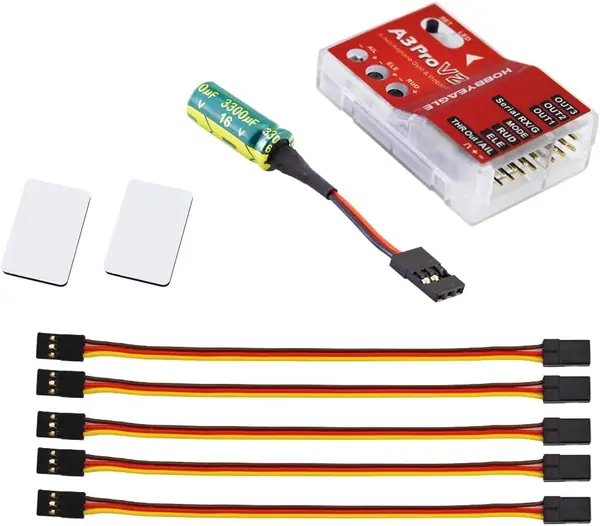
HOBBYEAGLE A3 Pro V2 six-axis gyro stabilizer in a white plastic case

Most fixed-wing planes

Track Score 87/100
Flight Modes
6: gyro off, normal, lock, angle, level, hover
Wing Types
Standard, delta wing, V-tail
Receiver Compatibility
PWM, PPM, S.Bus, DSMX, SRXL
Sensor
6-axis gyro and accelerometer
View on Amazon

Six axes is the reason we steer most pilots to this board. A three-axis gyro can only damp a bump; the accelerometers in the A3 Pro V2 tell it which way is up, and that is what makes angle and level modes possible — release the sticks and the plane works its way back to flat. On a gusty afternoon that is the difference between fighting the model and flying it. Normal mode gives you straight rate damping for aerobatics, lock mode holds an attitude, and hover is there for 3D. Six modes sounds like a lot to manage; in practice you will fly two of them and be glad the others exist.

Compatibility is the other half of the case. It takes standard PWM channels, PPM, Futaba S.Bus and the S.Bus clones, Spektrum DSMX and DSM2 satellites, and SRXL — broad enough that you can buy it before you have decided what radio gear your next build will carry. Gains are set per axis, aileron and elevator and rudder separately, which is more work than one trim pot and worth it the first time one surface starts to oscillate before the others.

Put the master gain on a knob and you can turn the whole system up or down in the air instead of landing to hunt for a screwdriver. That is the feature we reached for most, and the one we noticed missing the moment we went back to a board without it.

Standard wing, delta and V-tail are all covered, so a flying wing is no reason to look elsewhere, and the firmware is upgradable — the board can take a fix instead of being frozen at whatever shipped. That matters more to us than another mode on the list.

Worth Noting

  • Data cable for firmware updates sold separately
Our Verdict

Six-axis stabilization, six flight modes and per-axis gains in a board that talks to almost any receiver — this is the one we point most pilots to.

Check Latest Price
2.

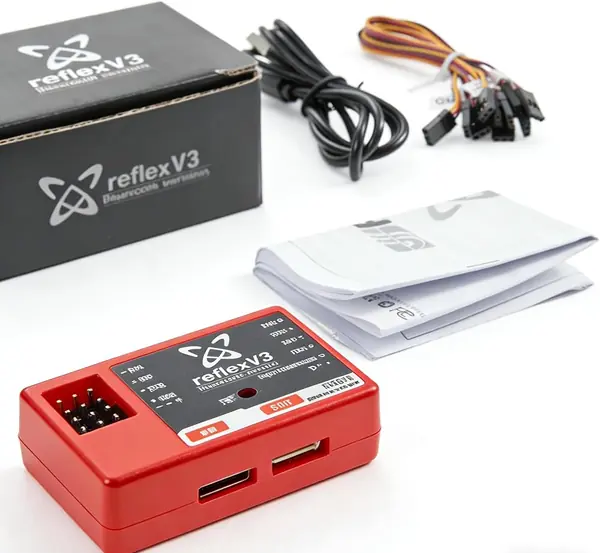
FMS Reflex V3 Best for Beginners

FMS Reflex V3 red gyro stabilizer with the included USB data cable

First-time pilots

Track Score 86/100
Flight Modes
3: stabilized, optimized, manual
Receiver Compatibility
S.Bus, PPM, PWM
Sensors
3-axis gyro and 3-axis accelerometer
In The Box
Reflex V3 and USB data cable
View on Amazon

Beginners get the most out of this one, and it is clearly built that way. The Reflex V3 arrives programmed for the aircraft it goes into: you wire your receiver through it, set the model up the way you always do, and fly. No programming card, no laptop, no gain pots to guess at on the bench.

Three modes ride on a transmitter switch — stabilized, optimized and manual. Stabilized does the heavy lifting and levels the wings when you get behind the plane, optimized is the lighter-touch setting for when you want the airframe to feel more like itself, and manual is gyro off. One quirk caught us before it could surprise us in the air: on a three-position switch the middle detent defaults to manual, so off sits between the two active modes rather than at an end. Assigning it to a two-position switch avoids that entirely, which is how we set ours up.

It recognizes S.Bus, PPM and PWM on its own and works with any radio of four channels or more; on a four-channel set a jumper handles the protocol selection. A USB data cable comes in the box for updates. What it asks in return is trust in the factory profile, and for a first season that is the right trade — fewer variables between you and a landing you can walk away from.

If you want to feel a gain change under your fingers, this is not the module that gives you that. It is the one that gets a nervous pilot flying in wind without a tuning session first.

Worth Noting

  • Wiring instructions are sparse
Our Verdict

If you want stabilization without learning to tune it, this is the answer: pre-programmed, three modes, and happy with any four-channel radio.

Check Latest Price
3.

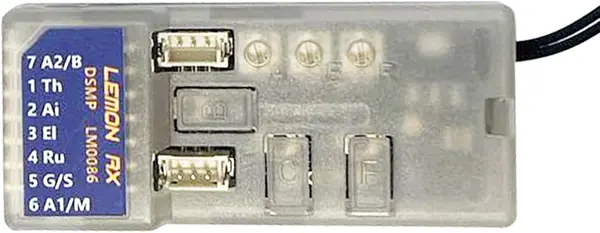
Buddy RC DSMP Telemetry Stabilizer Best for Spektrum Radios

Buddy RC DSMP telemetry stabilizer receiver for DSMX and DSM2 radio systems

Spektrum radio setups

Track Score 80/100
Setup
TEXTGEN on-radio programming
Channels
7
Protocol
DSMX and DSM2
Telemetry
Full-range with voltage probe
View on Amazon

Two boxes become one here. Instead of threading a gyro between your receiver and your servos, you bind this board, plug the servos into it, and you are done — a full-range seven-channel receiver with stabilization and telemetry built onto the same footprint.

Where the settings live is what we appreciate most. TEXTGEN support puts the stabilizer's menus on your transmitter screen: Spektrum fliers reach them through forward programming, and OpenTX and EdgeTX radios handle it too. No programming card, no laptop at the field, no unplugging a servo lead to change a gain.

Seven channels leaves room for separate aileron servos, flaps and retracts, and the Buddy RC's voltage probe reports pack voltage alongside the rest of your telemetry. Stabilization rewards a patient afternoon with the gains — get them right and the plane holds a line through air that would have had you turning back.

On a Spektrum transmitter the setup is a walk through familiar menus. On a multi-protocol radio, set aside an evening: the options are all there, but they are not obvious, and the box will not walk you through them either. And because this replaces your receiver rather than joining it, budget time for a fresh bind and a fresh failsafe check before the maiden.

Worth Noting

  • Works only with DSMX and DSM2 radios
Our Verdict

A seven-channel receiver with stabilization built in and setup on your transmitter screen — the tidy choice if you fly Spektrum.

Check Latest Price
4.

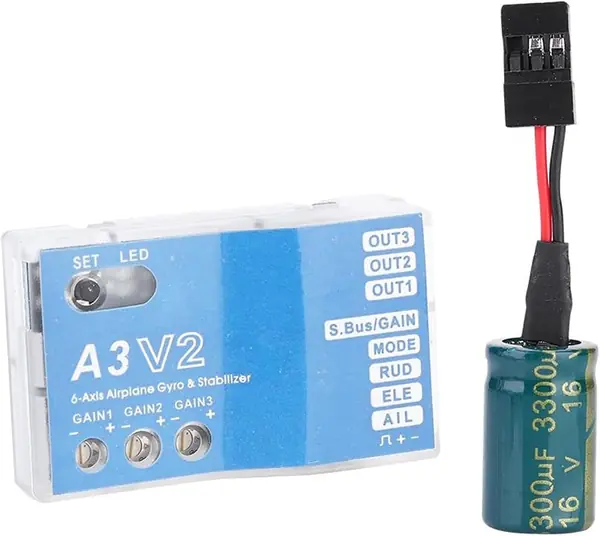
Jadeshay F50A A3 V2 Best for Foam 3D Planes

Jadeshay F50A A3 V2 three-axis gyro stabilizer in a blue metal case

Foam 3D planes

Track Score 79/100
Flight Modes
4: normal, auto-balance, auto-hover, gyro off
Wing Types
Standard, delta wing, V-tail
Weight
0.39 oz
Servo Frequencies
50Hz, 125Hz, 250Hz
View on Amazon

Least expensive of the boards we recommend, and that is most of the argument. The F50A is the A3 V2 design — four flight modes, three wing types, three servo frequencies — at a price that makes trying stabilization on a foamie a small decision rather than a project.

The modes are the useful ones: normal damping, auto-balance for when the wings need to find flat on their own, auto-hover on a single key, and off. Standard, delta and V-tail are all supported, so a flying wing gets the same treatment as a trainer.

Setup really is quick. The modes map to a switch, and the servo frequency options — 50, 125 and 250Hz — let you match the board to what is in the wings. Save the high rate for digital servos; an analog set on a fast refresh can buzz and warm up. We check that on the ground before anything else, and you should too.

For a first stabilizer on a cheap airframe, that is enough. The board does what the mode switch says, the change left over buys props, and if stabilization turns out not to be for you, you found out cheaply.

Worth Noting

  • No setup instructions in the box
  • Individual units can fail in flight
Our Verdict

Our budget pick for a foam 3D plane: four modes including one-key hover, three wing types, and very little to lose.

Check Latest Price

How We Tested RC Plane Gyro Stabilizers

We started with spec sheets, sorting by the things that decide whether a stabilizer works in your airplane: which receiver protocols it accepts, whether it uses a three-axis rate gyro or a six-axis sensor with an accelerometer, its flight modes, whether it handles delta and V-tail mixing, how gains are adjusted, and how much it weighs. That narrowed the field to 12 units, which we mounted and flew over four months.

Each one went into a foam airframe on the workbench first, propeller off. We matched the servo refresh rate to the servos in that plane — a high setting on analog servos will cook them — then rotated the fuselage by hand and watched which surfaces moved and in which direction, confirming they corrected opposite the disturbance and that every control moved the right way. We timed the run from unboxing to a bound receiver and counted the tools it took: a screwdriver, a laptop, or just the radio's own menu.

Then we flew, on calm Saturday mornings and in the kind of crosswind that usually keeps foamies in the car. We cycled every mode, backed the master gain down when a surface started to chatter, and worked per-axis gains until the plane held its attitude in a gust instead of hunting. Range checks happened at the far end of the field, and we logged any glitch or dropped frame.

At the end of four months we opened the cases to look at solder joints and connector seating, and compared what each price step actually bought. We also ran two identical boards side by side to see whether they wanted the same gain settings — the unit-to-unit drift that has you re-trimming on every flight.

How to Choose an RC Plane Gyro Stabilizer

Receiver Compatibility Comes First

Every stabilizer sits between your receiver and your servos, so start with how it gets its signal. A plain PWM receiver needs a board with individual channel inputs; a serial receiver — S.Bus, SRXL, a DSMX satellite — needs a board that understands that protocol and can be told which one it is hearing. The A3 Pro V2 handles all of them, which is why it suits a pilot who has not settled on one radio brand.

Watch the trap: a stabilized receiver is not an add-on. The Buddy RC DSMP replaces the receiver in the model rather than joining it, so it only makes sense if your transmitter already speaks DSMX or DSM2.

Three Axes or Six

A three-axis gyro senses rotation and damps it. The plane stops getting shoved around in wind, but it will not right itself — let it roll and it stays rolled. Add accelerometers and the board knows which way is up, which is what self-leveling, angle and hover modes need.

Decide which of those you want before you spend. If you want a plane that flies bigger than it is in gusty air, three axes covers it. If you want a safety net for a shaky approach or a beginner's reflexes, pay for six.

Modes, Switches and Gains

Whatever you buy, set up a switch with an off position, a damping position and a self-leveling position, and confirm on the bench which way the switch travels before you fly. Leave yourself a way to turn stabilization off in the air.

Gains are where most of the frustration lives. Too high on any axis and the plane wags or shudders, which feels like a mechanical fault and is usually a dial. The better boards let you set each axis separately and put a master gain on a knob, so you can turn the whole system down in flight instead of landing to guess.

Wing Type, Size and Mounting

Standard wing, delta and V-tail need different mixing, and most boards in this class support all three — just make sure you select the wing type during setup, because a board set for a conventional plane will fight a flying wing.

Then look at the airframe: the board needs a flat spot out of the way, and on a small foamie its few grams are part of your balance. Keep it off the ESC and away from wiring that vibrates, and range-test the install before the maiden.

What the Money Buys

Cheap boards and branded ones often share silicon. The A3 V2 design turns up under several brand names at different prices, so compare what comes in the box and how well the setup is explained rather than assuming a higher price flies better.

At the top end you are paying for support, updatable firmware and consistency from one unit to the next. Updatable firmware is the one premium feature that changes the board after you buy it, so it is worth stretching for.

Frequently Asked Questions

Final Verdict

We recommend the HOBBYEAGLE A3 Pro V2 to most fixed-wing pilots. Six-axis stabilization, six modes, per-axis gains with a master gain on a knob, and receiver compatibility broad enough to cover whatever your next build carries — it is the most complete board here for the money.

For stabilization without any tuning, the FMS Reflex V3 arrives programmed and takes any four-channel radio, which makes it the easier first season. If you already fly Spektrum, the Buddy RC DSMP does the same job with one less box to mount.