Best Soldering Irons for Model Trains of 2026

A model railroad is a wiring project in a scenery costume, and the soldering iron that builds one has two jobs that pull against each other. It must hold a steady, low temperature for tiny decoder pads and feeder wires, then recover fast enough to solder a rail joiner without cooking the plastic ties around it.

Temperature control and quick tip recovery matter more than wattage when scenery is close, and a tip left too long near a crossing signal melts it. We watched how 12 irons behaved at their lowest useful settings, timed heat-up, swapped tips and reached under a plywood deck to wire feeders and switch machines.

Our Top Picks

The Best Soldering Irons for Model Trains

1.

Weller WE1010NA Digital Soldering Station Best Overall
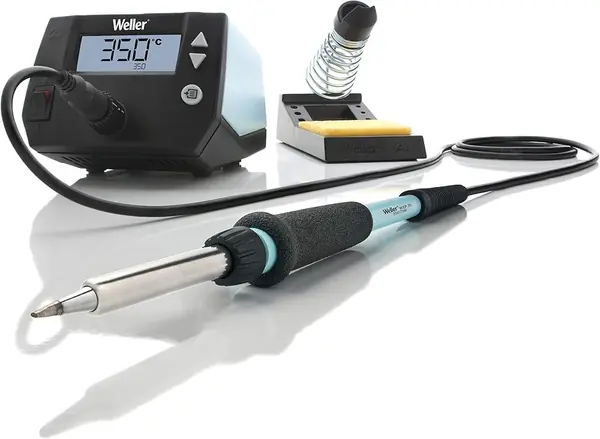
Weller WE1010NA digital soldering station with WEP70 pencil iron and safety rest

Bench layout wiring

Track Score 94/100
Power
70 watts
Temperature Range
200–850°F
ESD Safe
Yes
Temperature Stability
±4°F
View on Amazon

Two numbers decide whether an iron is safe over a layout: how low it will go and how steadily it holds there. The WE1010NA runs 200 to 850°F and holds ±4°F, so a feeder joint on code 83 rail gets the same heat on the tenth try as the first, instead of a tip that surges while you count seconds. The 70W element recovers between joints, and the ESD-safe build means a DCC decoder board isn't the thing you gamble on.

We appreciated the tip change more than any other detail: twist the knurled nut on the pencil by hand and swap the included 1.6 mm screwdriver tip for a fine conical when you move from rail to a decoder pad, with no tool and no waiting for the iron to cool to the touch. The temperature lock is the other feature we came back to — it stops a stray press from turning 600°F into 850°F while your hand is inside a locomotive shell. Three buttons and an LCD handle the rest, and the front power switch falls under your thumb.

It's a bench tool: five and a half pounds of station with a tethered iron, sized for a shelf above the workbench rather than a toolbox. That suits most layout wiring, which happens at a table with a chunk of flextrack and a decoder harness in front of you. For the half hour you spend on your back under the benchwork, we take the Pinecil instead.

Worth Noting

  • Some units' heating elements fail early
  • Ships with one 1.6 mm tip
Our Verdict

For a bench that sees regular decoder and track work, this is the station we recommend: ±4°F stability, fast recovery, and tips you change by hand.

Check Latest Price
2.

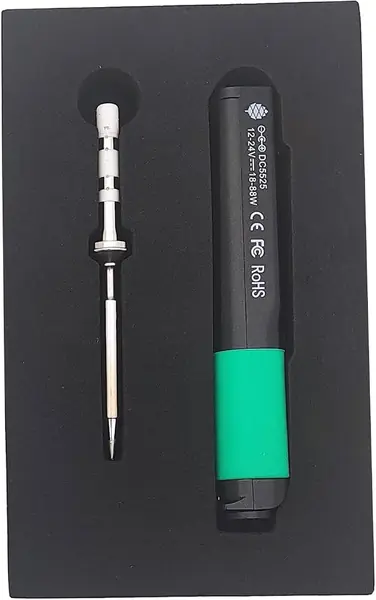
Pinecil Smart Mini Portable Soldering Iron Best Portable

Pinecil smart mini portable soldering iron with stainless steel handle and OLED display

Under-layout wiring

Track Score 93/100
Power
65 watts
Temperature Range
100–400°C (212–752°F)
Weight
2.12 oz
Power Input
USB-C PD/QC 3.0 or 12–21V DC
View on Amazon

The job that decides which iron we pack is the one on your back under the benchwork, reaching a feeder that vanishes up through a joist. At 2.12 ounces and about six inches long, the Pinecil goes where a station's cable won't, and the OLED gives you a number instead of a guess: 100 to 400°C set in steps, with a rated 12-second climb from cold. We like that the buttons and screen sit on the barrel itself, so you set heat with the hand that's already holding the iron.

It ships without power, and the supply you pair it with decides whether you like it. The iron takes USB-C PD or QC 3.0 at 12 or 20V and 3A, or a 12–21V DC5525 barrel supply; a laptop brick that meets the PD spec drives it well, while an older phone charger leaves it sagging. Our preference for layout work is a 20V PD power bank, because there's no cord to drag across finished scenery.

Tips swap in seconds and the stainless handle stays comfortable through a long session of feeder soldering. The warranty runs 30 days, which is short for something that rides in a tool bag, so keep the receipt and the packaging through the first month. Think of it as the second iron that lives in the layout room rather than the only one you own.

Worth Noting

  • Some units stop working within weeks
Our Verdict

The iron for work under the layout: 65W and a temperature readout in 2.12 ounces, provided you bring a USB-C PD or DC supply.

Check Latest Price
3.

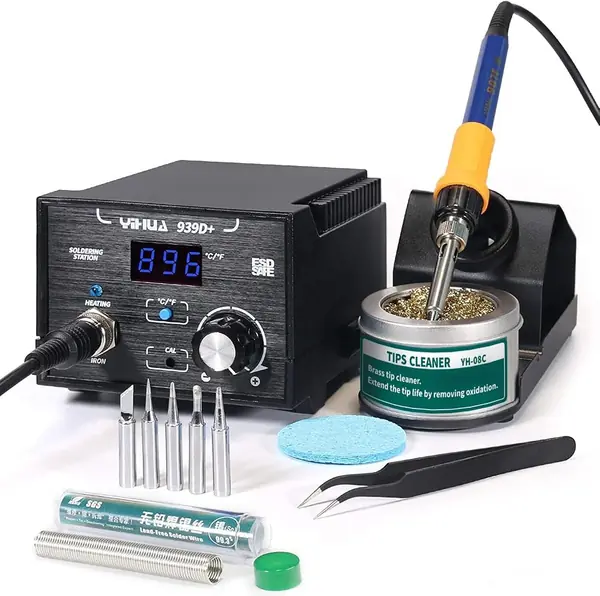
YIHUA 939D+ Digital Soldering Station Best Value Station

YIHUA 939D+ soldering station with a detachable 907F iron and brass tip cleaner

Weekend layout wiring

Track Score 92/100
Temperature Range
194–896°F
Display
LCD, °C/°F
ESD Safe
Yes
Temperature Stability
±5°C
View on Amazon

Far less than our top pick and still a station: a built-in transformer in a brushed-aluminum control box, a stand with both a sponge and a brass tip cleaner, and a detachable 907F iron. The 939D+ covers 194 to 896°F, which is the span from a decoder pad to a rail joiner on a cold garage bench, and the LCD reads the setpoint in °C or °F.

We judge budget stations on the thermocouple, and this one asks you to keep an eye on it. The display is the weak link; the calibration function is what makes that livable — trim the offset against a known reading once and the number on the screen starts matching the joint. ESD-safe construction and automatic handle detection round out a package that feels sturdier than its price suggests.

What you keep is a metal control box, a stand that holds the iron without tipping, and a footprint of 5.4 by 4.4 by 3.6 inches that fits on a shelf over the bench. For a layout wired on weekends rather than daily, that's money in the right place — swap the tip, set the temperature, and the station disappears into the job.

Our Verdict

The station we point to when the Weller is more than you want to spend, and we don't feel like we're settling when we use it.

Check Latest Price
4.

HANDSKIT 90W Digital Soldering Iron Kit Best All-In-One Kit

HANDSKIT 90W digital soldering iron kit with six 900M tips and PU carry case

Starter bench kit

Track Score 91/100
Power
90 watts
Auto Sleep
Yes
Tips Included
6 × 900M
Temperature Calibration
Yes, ±99°C offset
View on Amazon

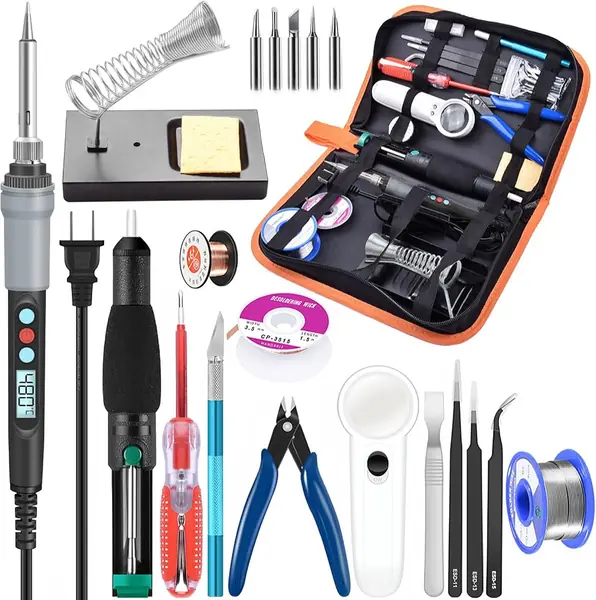
Ninety watts is more than our top pick's seventy, and it buys something specific: heat that arrives before the tie around a rail joiner has time to soften. HANDSKIT rates the ceramic core at about ten seconds to working temperature, and the soldering pen carries six 900M tips, a calibration offset of up to 99°C, temperature memory, and an auto-sleep timer.

The kit is where this one earns a spot for a first layout: tweezers, a desoldering pump, a magnifier, solder wire, and a PU case that keeps everything together between sessions. The magnifier and tweezers are the two we actually reached for on decoder harnesses, and the case means the iron doesn't live loose in a drawer with a bent tip.

The control takes learning. Temperature moves through the plus and minus buttons, the iron runs hot by nature, and we keep it well below the top of its range for anything within an inch of a plastic shell. The supplied tips handle wire and pads happily; add a good 900M chisel tip and this becomes a track tool that flows a joiner in a beat or two.

Worth Noting

  • Temperature takes practice to set precisely
Our Verdict

Buy this if you want one box that covers a first layout: 90W of heat, six tips, and the small tools you'd otherwise buy separately.

Check Latest Price
5.

Liouhoum 80W LCD Soldering Iron Best Budget Digital Iron

Liouhoum 80W LCD soldering iron with adjustable temperature and extra soldering tips

Budget layout work

Track Score 90/100
Power
80 watts
Display
LCD, °C/°F
Auto Sleep
Yes, after 5 minutes
Temperature Memory
Yes
View on Amazon

The feature we didn't expect to care about at this price is the sleep timer: leave the iron on its stand for five minutes and it drops the temperature instead of holding your set heat beside a plastic shell. In a hobby where you set the iron down every minute to reposition a feeder or find a decoder pad, that changes the way you work at the bench.

The rest of the package is more than the money suggests: an 80W ceramic element rated at about 30 seconds to temperature, an LCD that reads in °C or °F, temperature memory so it returns to your setting, calibration, and a nine-piece set with tips, a stand, solder, and flux. The screen turns the setting into a number instead of a guess, which is the part that matters when you move between a pad and a rail.

The stand is basic and the tips are standard 900M shapes, which is exactly what you want at this price — spares are cheap, easy to find, and swap in seconds, and we keep two on hand. For a small layout, a handful of decoders, and a bench that doesn't justify a station, it covers the same ground as the YIHUA for a fraction of the money.

Our Verdict

A digital iron with a sleep timer and temperature memory for very little money, which is why it lives on our bench.

Check Latest Price
6.

Q-MING 80W LCD Soldering Iron Best for Occasional Repairs

Q-MING 80W blue soldering iron pen with LCD display, five tips, and stand

Occasional repairs

Track Score 89/100
Power
80 watts
Temperature Range
180–480°C (356–896°F)
Display
LCD
Heating Element
Ceramic
View on Amazon

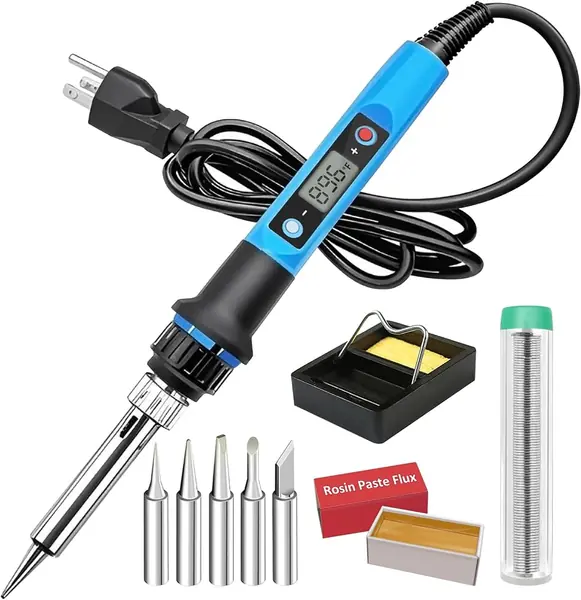
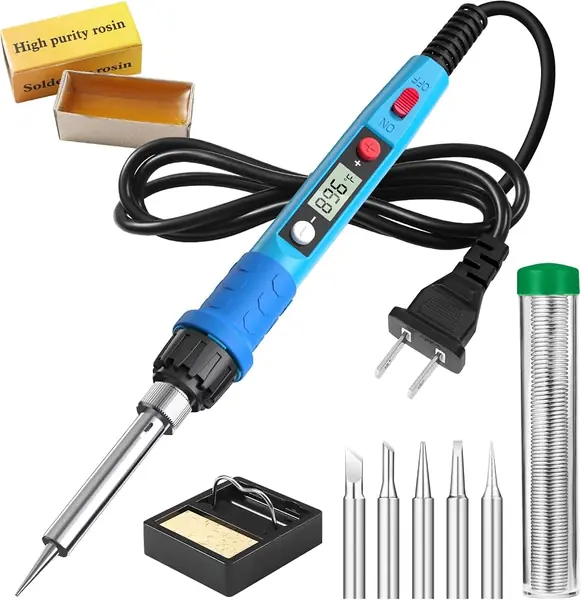
We expected an iron at this price to feel like a toy, and it doesn't: 80W through a ceramic core, a rated 20-second climb, and 356 to 896°F on an LCD, with five tips, a stand, a sponge, solder, and flux in the box. That's a complete first purchase rather than a starter you outgrow in an evening. Cracked open for a decoder pad or wound up for a feeder, it holds its number without much wander, which is the thing we doubted most.

What it isn't is a heavy-duty tool. The stand is the simplest in this group, light enough to slide when the cable catches, and the whole iron is built to a price. It's happiest on wiring, LEDs, and the occasional feeder rather than an evening of rail joiners. The solder and flux in the box cover a few joints, not a layout, so plan a proper spool and a flux pen before you start on feeders.

Worth Noting

  • Light-duty build for occasional work
Our Verdict

The one we hand to someone who wants a screen and a full kit without spending much; keep it for light work.

Check Latest Price

How We Tested Soldering Irons for Model Trains

We started by scanning station specs, kit contents, tip styles, and replacement-tip availability, then narrowed the field to models that could handle fine decoder work and heavier feeder wire. We tested 12 irons over seven months. The group included digital stations, a portable pen, and all-in-one kits, and we ran each one on a working switching layout and a plywood test deck rather than a lab bench.

On the bench, we set each iron to its lowest usable temperature and soldered 30-gauge decoder wire to small pads, watching the display against a thermocouple and checking whether the joint went bright and smooth or turned dull and grainy. We then moved to rail joiners and 18-gauge feeder wire, timing how quickly the tip recovered after each larger joint. Under the deck, we reached through crossmembers to wire switch machines and feeders, noting whether the handle, cord, or tip shape made those awkward angles harder. We swapped between fine and chisel tips, counted the steps, and checked whether replacements were easy to find.

We inventoried what came in each box—tips, stand, solder, pump, case—compared the contents against cost and against the extras we actually reached for, and used the displays, auto-sleep, temperature memory, and calibration controls as they came. Over the seven months, we checked heating elements and tips for oxidation, looseness, and temperature drift, and we ran each iron from a bench outlet and, where supported, a USB-C battery pack. Ease of use got judged in the hand: grip, display readability, button feel, and how naturally the iron returned to its stand between joints. We switched every iron off when we left the bench, and no joint in this test was made with an open flame.

How to Choose a Soldering Iron for Model Trains

Temperature control comes before wattage

Every joint is a race between solder flowing and plastic softening, and a thermostat is what lets you win it: a number you can repeat, a low setting for decoder pads, and a short hot burst for rail. A fixed-watt pencil or a torch gives you no way to back off, and backing off is the whole skill. We look for a stated range whose low end sits well below 600°F, plus a display or a marked dial rather than a band of red paint.

The trap is trusting the number. On inexpensive irons the screen often reflects the setpoint rather than what the tip is actually doing, so tin the tip and watch the solder, not the readout. A lock, a memory setting, or a sleep timer is worth having on a layout, where the iron gets set down constantly.

Power buys speed, and speed saves ties

A rail joiner is a heat sink: the rail pulls heat out of the tip faster than a small iron can put it back, and the longer you hold the iron there, the further that heat creeps toward the tie. Sixty watts is our floor and 70 to 90 is better, especially with a chisel tip that touches more rail at once.

Recovery matters as much as the rating. An iron that climbs back to its setpoint between joints keeps your dwell time short and repeatable, which is why we judge a station on how it behaves on the second and third joint rather than the first.

Tips do half the work

Two shapes cover a layout: a small chisel or screwdriver tip for rail and heavier feeder wire, and a fine conical for decoder pads and 30-gauge runs. Check that the iron takes a common tip family — Weller's ET series, or the 900M types used by most budget soldering pens — because a tip you can't replace cheaply turns a good iron into a paperweight.

A brass cleaner keeps tips tinned longer than a damp sponge, and every iron here changes shapes in seconds, so there's no reason to make one tip do everything.

Station, soldering pen, or kit?

A station earns its bench space if you solder at the same table every week: it sits still, holds a temperature, and gives you somewhere to park a hot iron. A portable soldering pen suits the wiring you do on your back under the benchwork, but check the power — some need a USB-C PD supply, and a weak charger leaves them struggling.

A kit is the cheapest way in, though the extras vary wildly; the pump and tweezers are the parts we actually use, and the included solder is the part we replace first.

Frequently Asked Questions

Final Verdict

Start with the Weller WE1010NA if your soldering happens at a bench. The ±4°F stability and 70W recovery are what make a rail joiner and a decoder pad feel like the same job, and hand-change tips mean one iron covers both.

If you're on your back under the benchwork more often than at the table, the Pinecil's 65W and 2.12 ounces answer that better — bring a 20V PD supply with it. And if a station is the right shape but the Weller isn't the right price, the YIHUA 939D+ does the work for a lot less.